Your Account
Plans and Billing
Your VunaBook plan, the free trial, invoices, paying, changing plan and custom packages.
Last updated 29 Oct 2026
Billing & Plan (for the people who handle billing) shows your VunaBook plan. Open it from the plan button at the top of every page (it shows your plan and the days left) or from your name at the top right.
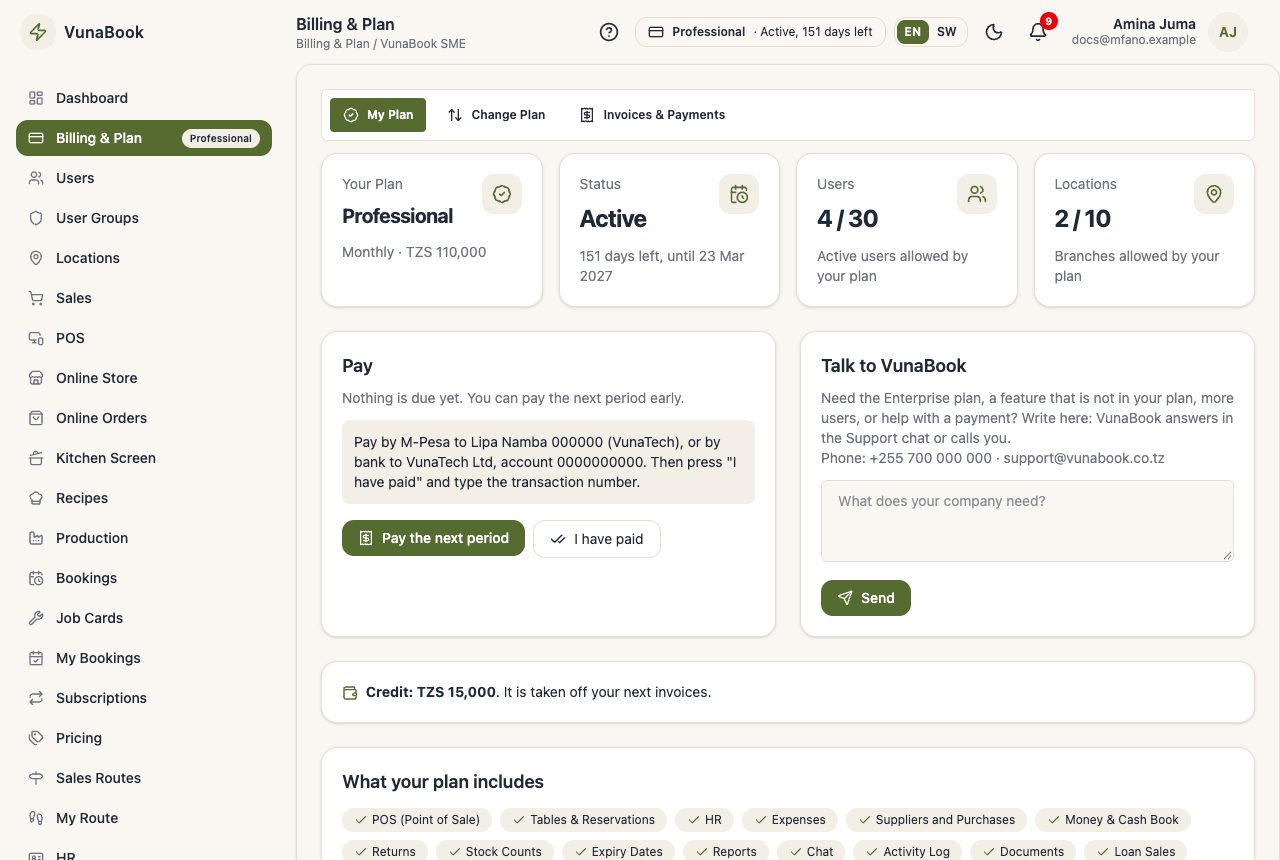
My Plan
Your plan, its status (free trial, active, payment late ...), the days left, and how many users and locations it allows. When you have something to pay, it shows here with how to pay.
Change Plan
Move up or down at any time. A bigger plan starts now (you pay the difference for the days left). A smaller one starts at the end of the period you paid, or now if you tick Start now: the unused difference for the days left is then kept as credit.
Credit, promo codes and VAT
- Credit: money VunaBook owes you (a downgrade now, or a refund kept as credit). It shows on My Plan and is taken off your next invoices by itself.
- Promo code: type it on the sign-up page (an agent's link fills it in). Your first invoice(s) get the discount, shown on the invoice.
- VAT: when VunaBook charges VAT, the invoice shows it (a Tax invoice with VunaBook's TIN and VRN) and the plan prices say whether they include it.
What you are charged in
VunaBook charges a business in Tanzania in TZS and a business in any other country in US dollars (USD). The website's Pricing page shows both (press TZS or USD). This is only for your VunaBook plan: your own prices and sales are in your own currency (see Company Profile).
Invoices & Payments
Every VunaBook invoice and payment. Pay with Vodacom M-Pesa, then press I have paid with the M-Pesa transaction number; VunaBook confirms it.
| Pay with | Vodacom M-Pesa (Lipa kwa M-Pesa) |
| Lipa Namba | 357517622 |
| Name | LIPA VUNATECH |
The same details are on your Billing page and on every unpaid invoice.
Outside Tanzania
M-Pesa works only in Tanzania. A business in another country is charged in USD, and its Billing page shows how to pay in USD. Contact VunaBook (Talk to VunaBook on the Billing page, or the website's Contact page) and we agree together how you will pay for your plan. If your payment takes longer to reach us, we give your account extra days, so you keep working. We are adding more ways to pay for each country and will tell you when they are ready.
When the plan ends
You get reminders before the end date. After it (and a few grace days) only Billing, your profile and support stay open until you pay. Your data is always kept.
Custom package
If no plan fits, choose Build your own package on the sign-up page: tick the features you need, and VunaBook calls you to agree the price.