Stock
Suppliers and Purchases
Keep suppliers, record stock bought from them, pay them, and see what you still owe.
Last updated 29 Oct 2026
Suppliers
Suppliers → Add Supplier: name, phone, email and address. A supplier's page shows what you bought and what you owe.
Record a purchase
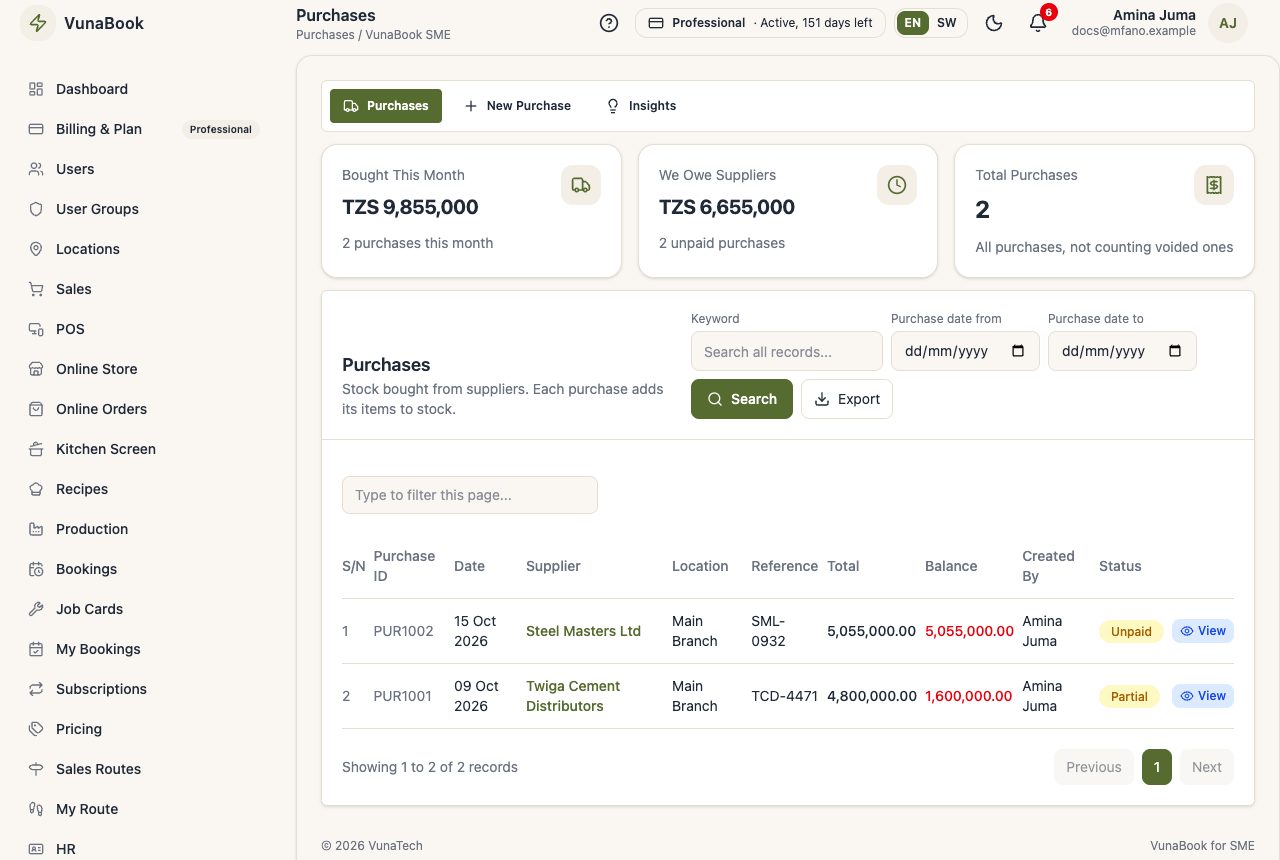
- Purchases → New Purchase: the supplier, the location, their invoice number.
- Add the products, quantities and buying prices (and batch and expiry date if you track them).
- Pay now, pay part, or owe it all. The stock goes up when it is saved.
Ordering first
To order before the goods come, and receive them against the order (refusing what is damaged), use Purchase Orders. Each delivery received becomes a purchase here.
Paying suppliers
Open the purchase and pay what is owed, from cash, bank or mobile money. We Owe Suppliers on the purchases page shows the total.
Approval
A purchase above your approval limit waits for a manager (see Alerts and Approvals).