Stock
Serial Numbers and Warranty
A serial number (or IMEI) for each single item: received, sold to whom, warranty and its history.
Last updated 29 Oct 2026
Switch on Serial Numbers on Company Profile → Features. Then, on a product, tick Each piece has a serial number and give its Warranty (months).
When they are asked
- Coming in: when goods of a purchase order are received, type or scan one number per piece. For pieces already in stock, use Serial Numbers → Add to Stock.
- Going out: when a sale is picked, tick the numbers taken. A sale made at the till gets its numbers on the sale page (Give to the Sale). The warranty starts on the day of the sale.
- Transfers: give the numbers of the pieces sent. At the other end, tick the ones that arrived.
If a product has fewer numbers in stock than its quantity (old stock without numbers), only those numbers are asked.
Find one
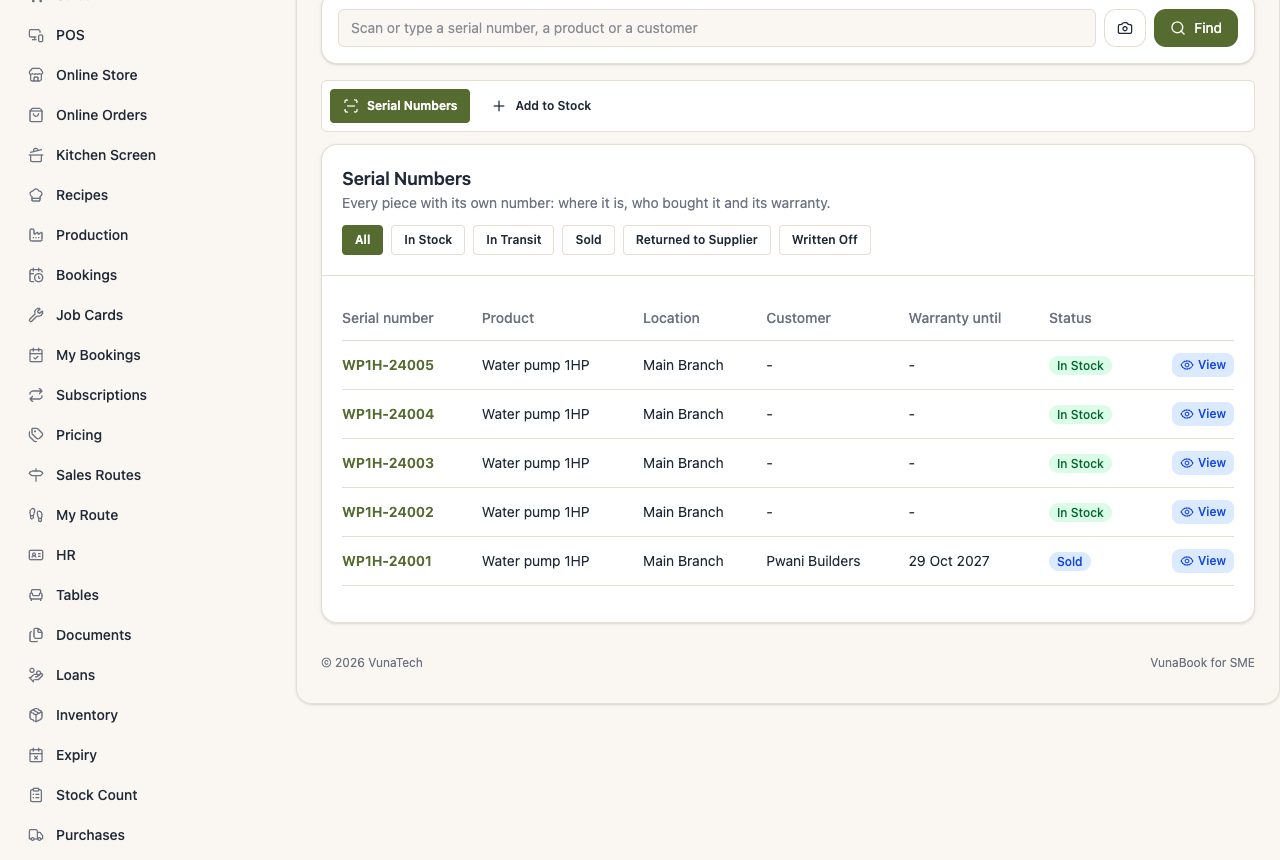
Scan or type a serial number on Serial Numbers (or on the Scanner): you see the product, where it is, the purchase it came with, the customer who bought it, the warranty, and every step of its history.
Change one by hand
On its page: Written off (lost, broken), Returned to the supplier, or Back in stock (brought back). This changes the number only; change the stock itself with a return, a stock removal or a count.
A voided sale puts its serial numbers back in stock.