Projects & Construction
Site Work (Supervisors)
My Sites, daily attendance, the site diary with photos, work done, progress and asking the store for materials.
Last updated 23 Oct 2026
The site supervisor works from a phone. Give them the permission Site supervisor: My Sites and choose them as the supervisor of the project.
My Sites
Their open sites, each with today's two jobs: Attendance (marked or not) and Site Diary (written or not), plus Work Done and Progress.
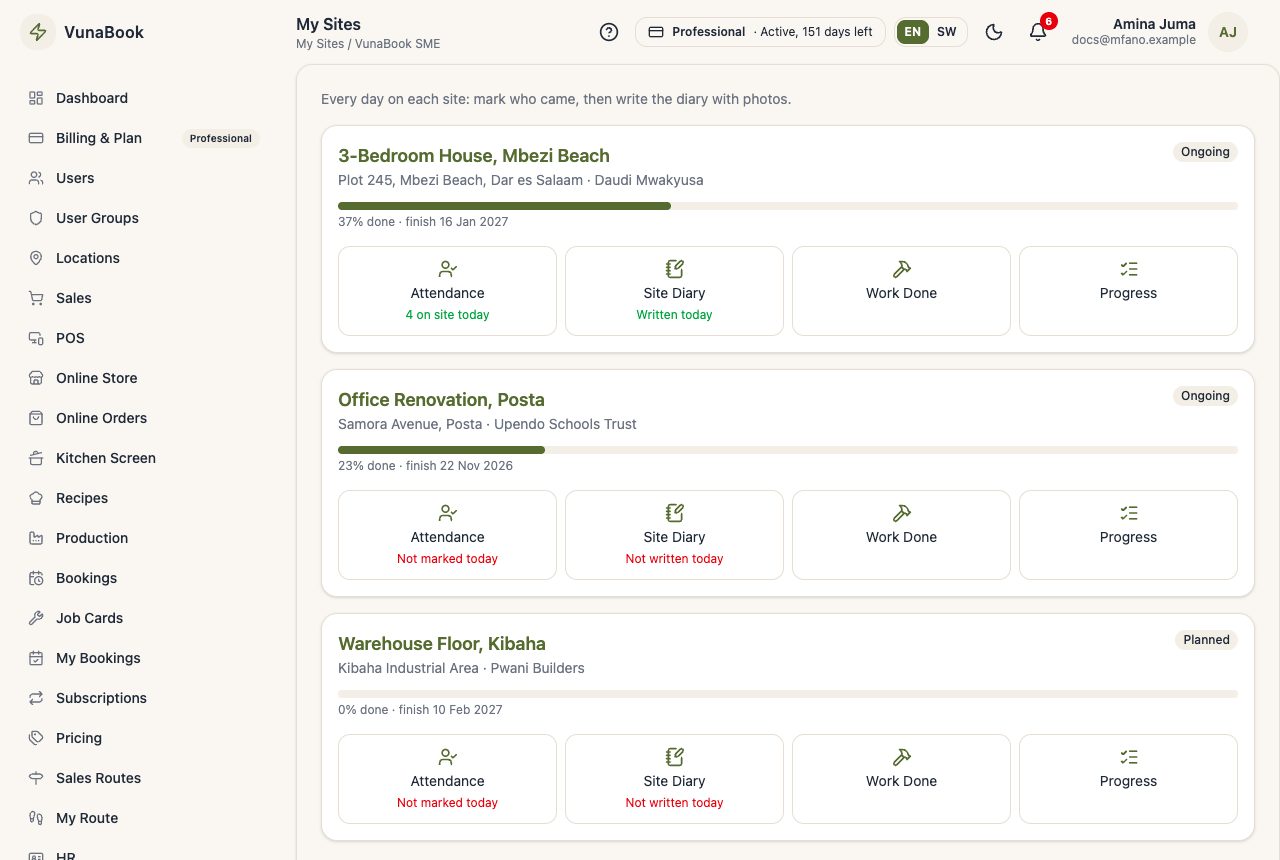
If attendance or the diary is missing in the evening, the supervisor gets a reminder (bell and email).
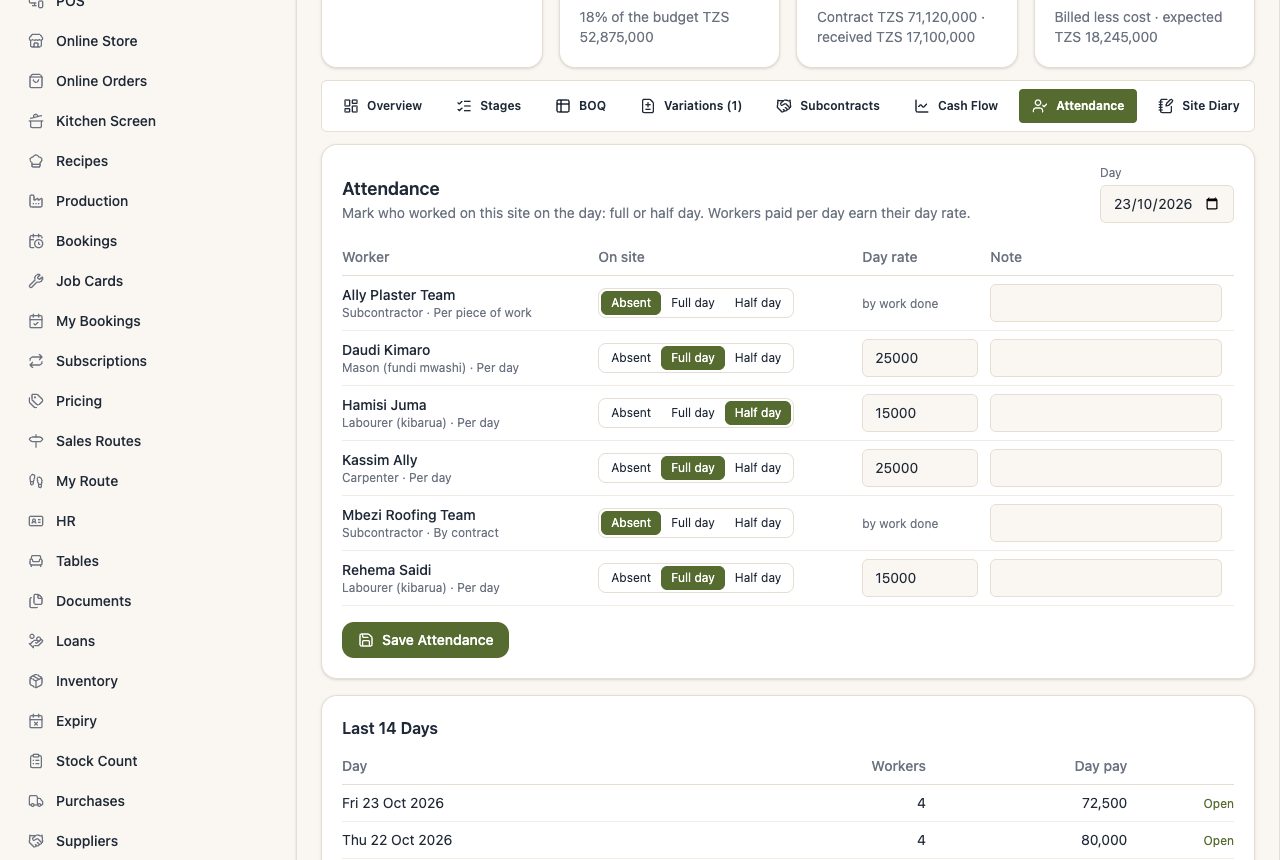
Attendance
For the day, mark each worker Full day, Half day or Absent, and save. Workers paid per day earn their day rate by themselves.
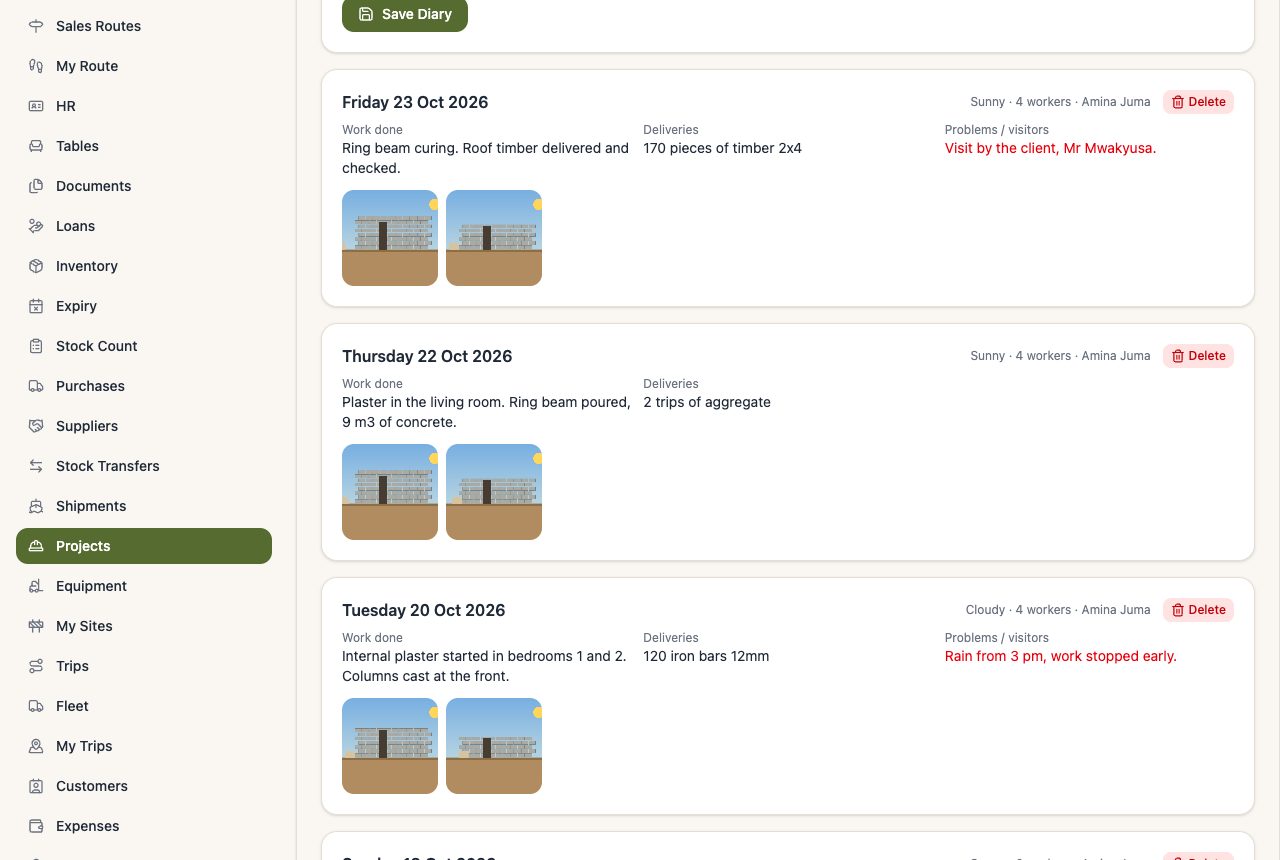
Site Diary
One page per day: work done, weather, workers on site, deliveries, problems or visitors, and photos from the phone camera. The client can see the diary and photos on their link (never the problems notes).
Work Done
For workers paid per piece or by contract: what they did and the quantity x rate (for example 120 m² of plastering x TZS 2,000). It counts in what they earned.
Progress
On Stages, move each stage's % done and save.
Ask the store for materials
Requests → Ask the Store for Materials: choose products from the stock (or write what is not in stock), the quantities and when they are needed. The store is told at once; it sends what it has (the stock goes to the site) or rejects with a reason. Press Received on Site when the materials arrive.