Projects & Construction
Projects
Projects for clients with a contract, budget, stages and progress, and everything about each site in one place.
Last updated 23 Oct 2026
For construction, renovation, interior work, events and any work done as projects. Switch on Projects & Site Work in Company Profile → Features.
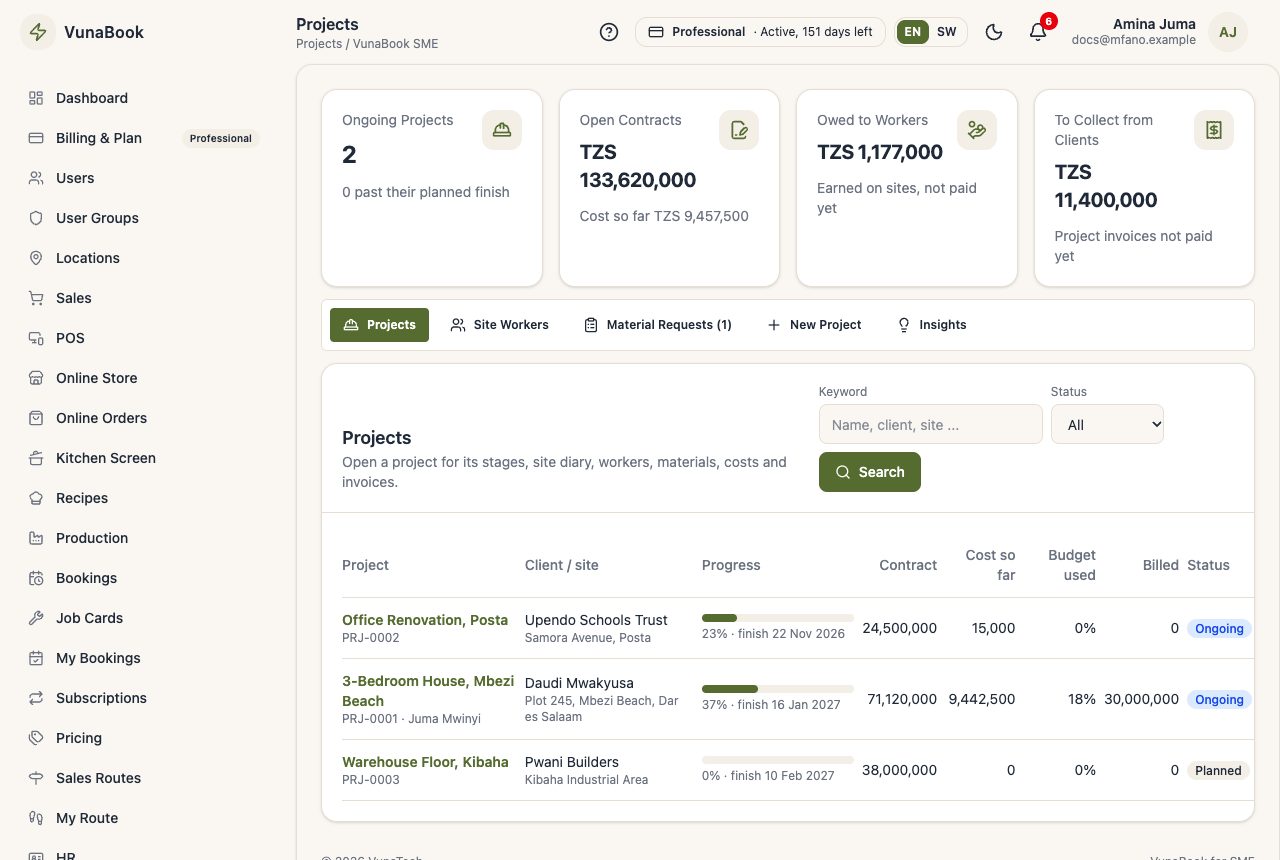
Create a project
Projects → New Project:
- the name, the client, where the site is, the branch and the site supervisor;
- the contract value and the retention the client keeps back (for example 5%);
- the budget: labour, materials, equipment and other;
- the start and planned finish.
Tick Add the usual building stages to start with site preparation, foundation, walls, roofing, plumbing & electrical and finishing.
The project page
Everything about the project is in its tabs:
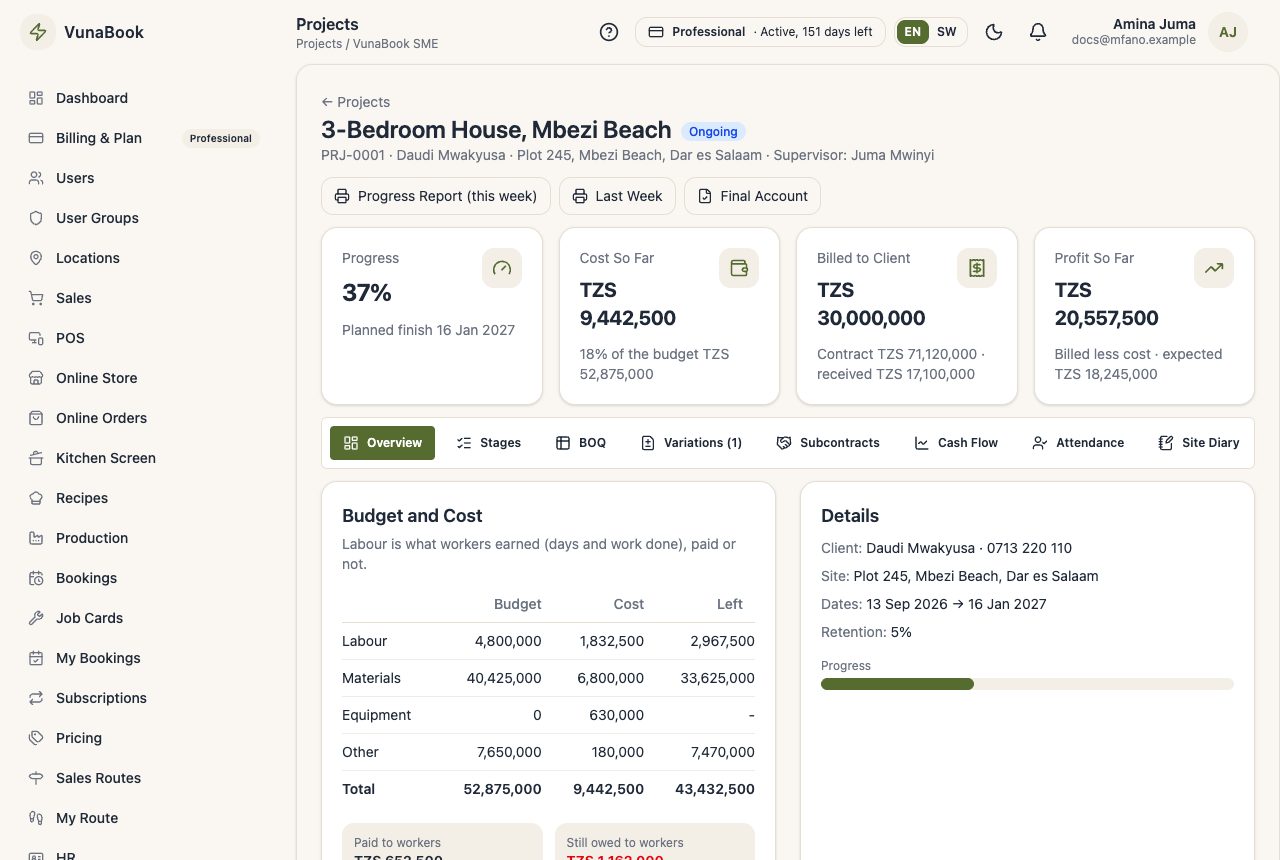
| Tab | What it is for |
|---|---|
| Overview | budget against cost, profit so far, the client link |
| Stages | % done of each stage; the project's progress comes from them |
| BOQ, Variations | the bill of quantities and change orders (BOQ and Variations) |
| Subcontracts | fixed-price team contracts (Site Workers and Pay) |
| Cash Flow | money expected in and out, week by week (Project Money) |
| Attendance, Site Diary, Work Done, Requests | the site's day (Site Work) |
| Pay Workers | pay sheet and payments (Site Workers and Pay) |
| Materials, Costs, Billing | stock to the site, other costs, client invoices (Project Money) |
| Equipment | machines on the site (Equipment) |
| Defects | snags at handover (Client Link and Defects) |
Progress and budget
Stages shows the % done of each stage (move the slider and save). The project's progress is weighted by the stages' budgets. The Overview shows the budget against the cost for each budget line; the office gets an alert when a project reaches 90% of its budget and when it goes over.
Reports
Project Summary, Budget against Cost, Labour by Worker, Site Attendance, Materials Used, Owed to Site Workers, Subcontracts, Client Billing, Cash-Flow Forecast and Equipment Maintenance (Reports → All Reports → Projects).
Who can do what
| Permission | Allows |
|---|---|
| View projects | see projects and their money |
| Manage projects | create and change projects, stages, BOQ, variations, materials, costs, workers |
| Site supervisor: My Sites | attendance, diary, work done, material requests on their own sites, without the money |
| Pay site workers | pay sheets, wages and advances |
| Store: material requests | send or reject what sites ask for |
| Manage equipment | the equipment register and its maintenance |
| Project reports | the project reports |