Selling
POS (Point of Sale)
A full-screen till for touch screens, with open orders per table or customer.
Last updated 23 Oct 2026
The POS is a fast, full-screen till for a counter, a bar or a restaurant. Switch it on in Company Profile → Features.
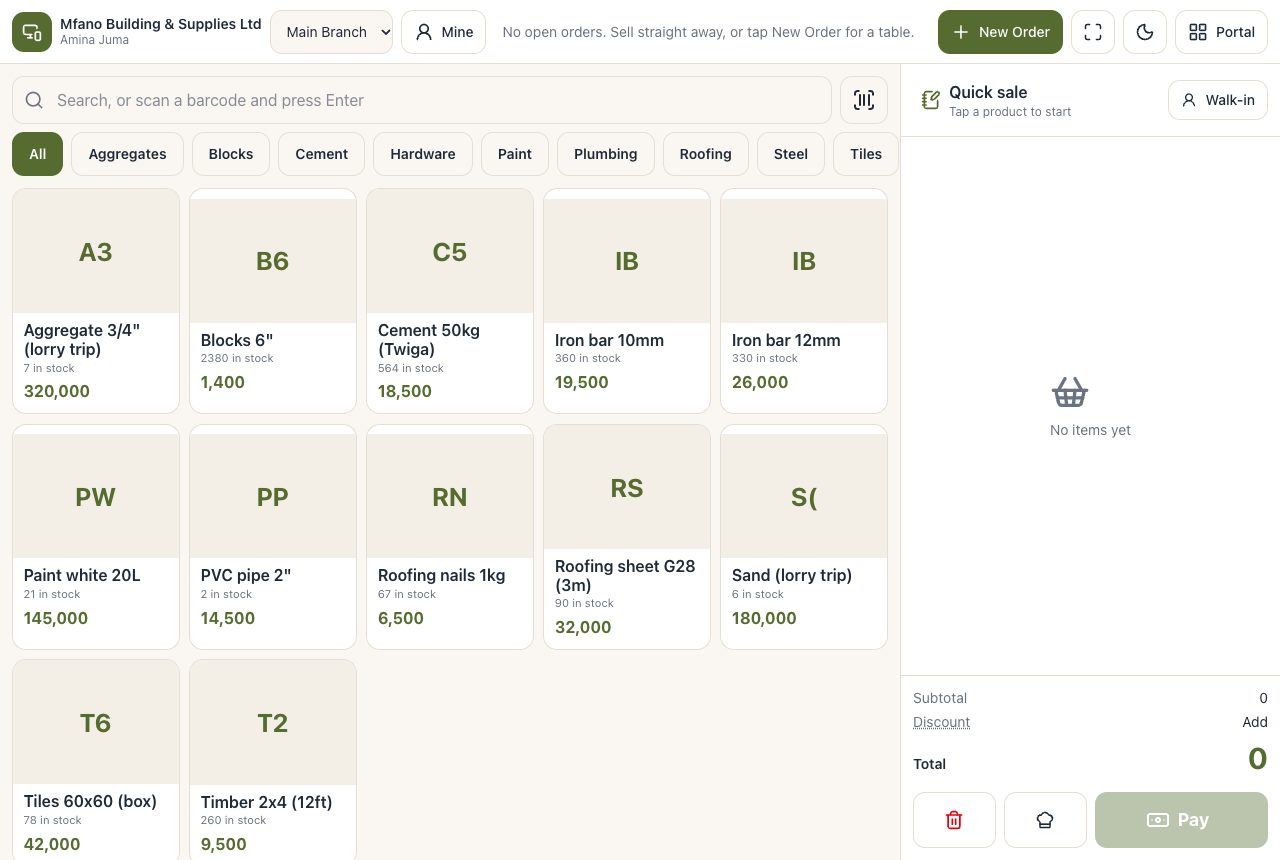
Selling on the POS
- Open POS from the menu.
- Tap products (by category or search, or scan the barcode) to put them on the order.
- Press Pay, choose the payment method(s) and finish. The receipt prints.
Open orders
Keep an order open for a table or a customer (a tab), add to it during the visit, and pay at the end. Open orders can be moved, split or cancelled with permission.
Templates
In Company Profile → POS choose one of the POS templates (grid, tables, express) and its colours and arrangement.
Related
Tables and Reservations for restaurants, Kitchen and Production to send orders to the kitchen screen.