Projects & Construction
Equipment
The equipment register, bookings to sites without double-booking, and the maintenance log with service reminders.
Last updated 23 Oct 2026
The register
Equipment → Add Machine: name, code or plate, kind, owned or hired (from whom), the rate per day, and the service plan (every so many days and / or engine hours).
Which machine is on which site
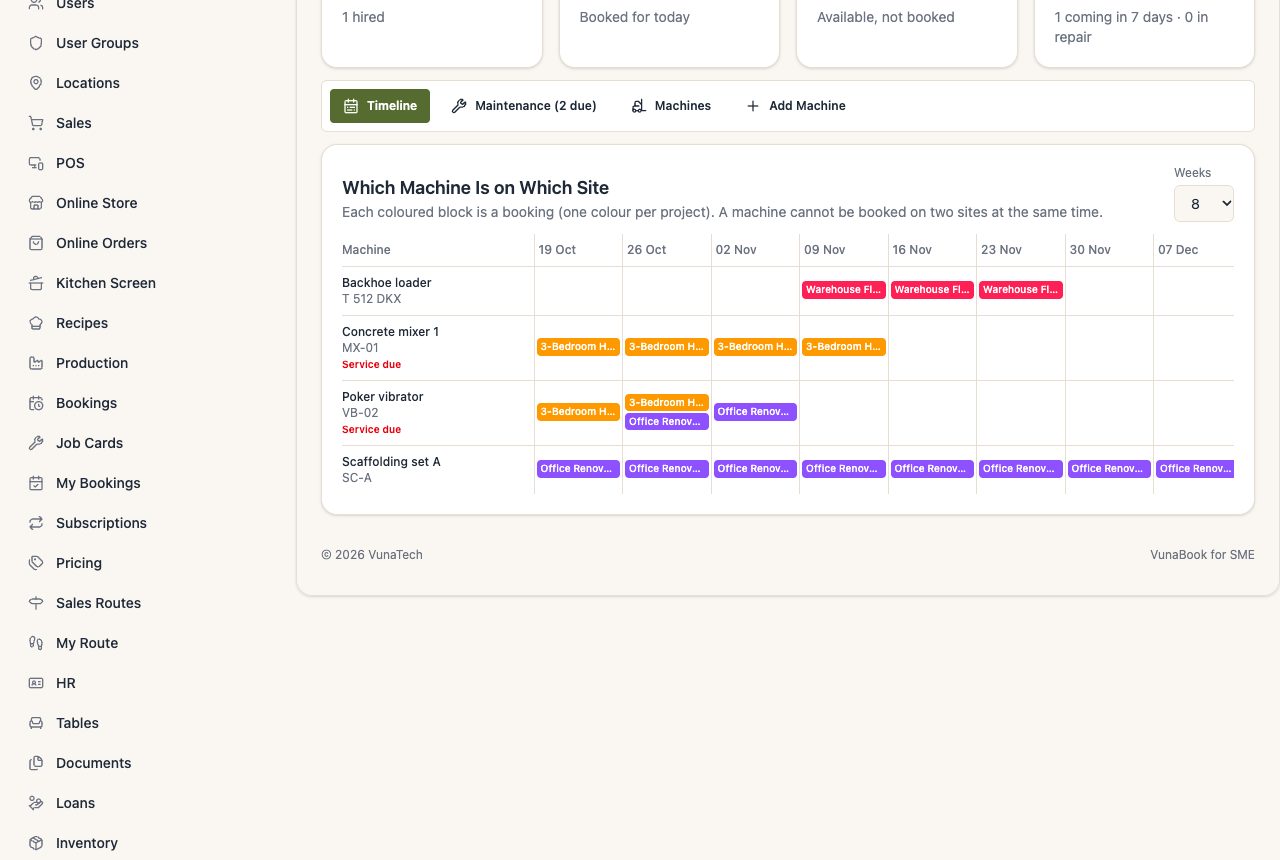
The Timeline shows each machine's bookings, week by week, one colour per project.
Booking a machine
From the machine (Machines tab → Book to site) or from the project (Equipment tab → From the register): the site and the dates. A machine cannot be booked on two sites at the same time: VunaBook says where it is and until when. Press Left Today when it leaves a site. Machines in repair or retired cannot be booked.
For hired machines, the hire so far is worked out from the days and the rate; record what you pay under the project's Costs.
Maintenance
Maintenance tab:
- Service Plan: each machine's hour meter, last service, and next service, marked Due, Soon or OK. Update the hour meter any time.
- Record a service, repair, tyres or inspection with the hour meter, the cost and who did it. The cost goes to Expenses, or to a project. Only a Service moves the next service date.
- Maintenance Log: everything done on every machine.
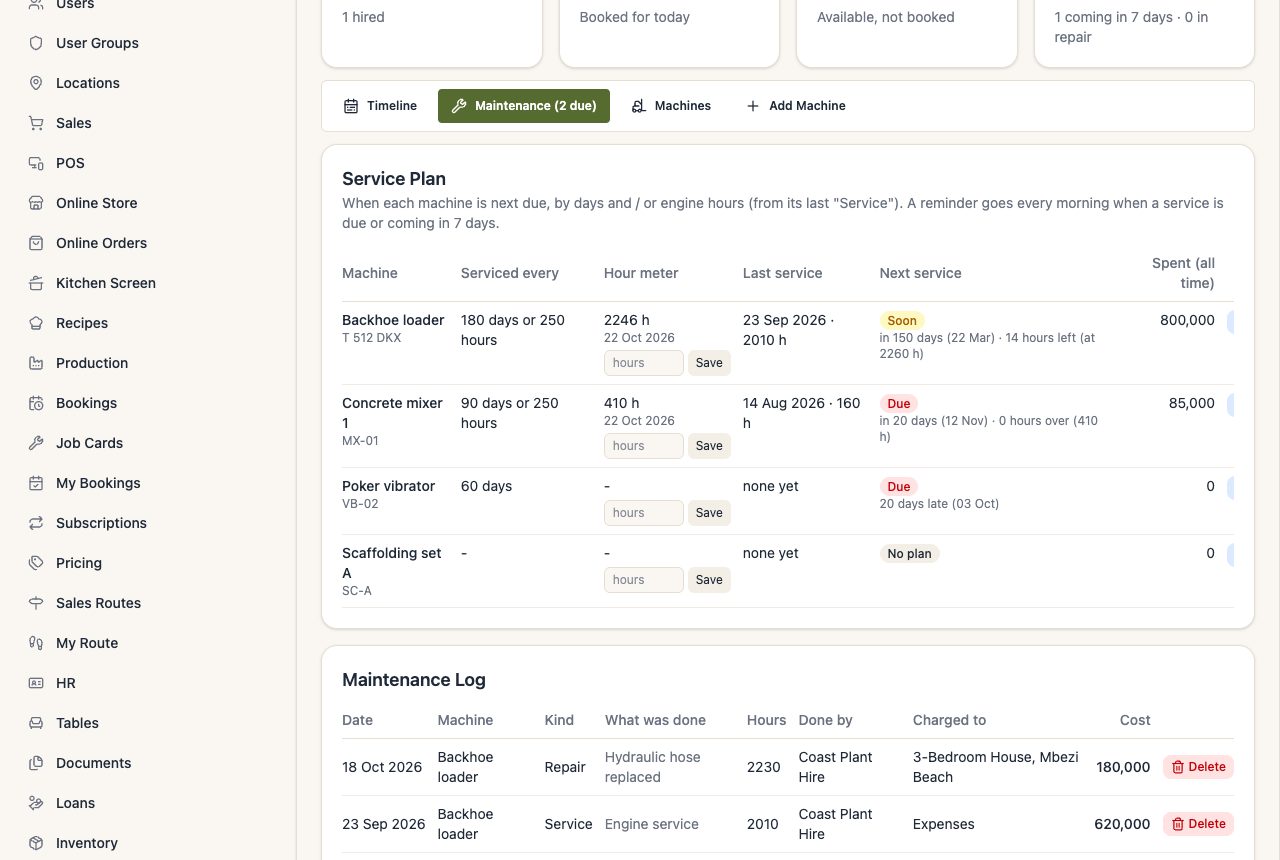
Every morning, the people who manage equipment are reminded of services due or coming in 7 days.