Getting Started
Become a VunaBook Agent
Earn a commission by bringing businesses to VunaBook. Apply on the website; you can sign in once VunaBook approves you.
Last updated 23 Oct 2026
A VunaBook agent shares their own link with businesses. Every business that signs up through it is theirs, and the agent earns a percentage of what it pays VunaBook, for an agreed number of months.
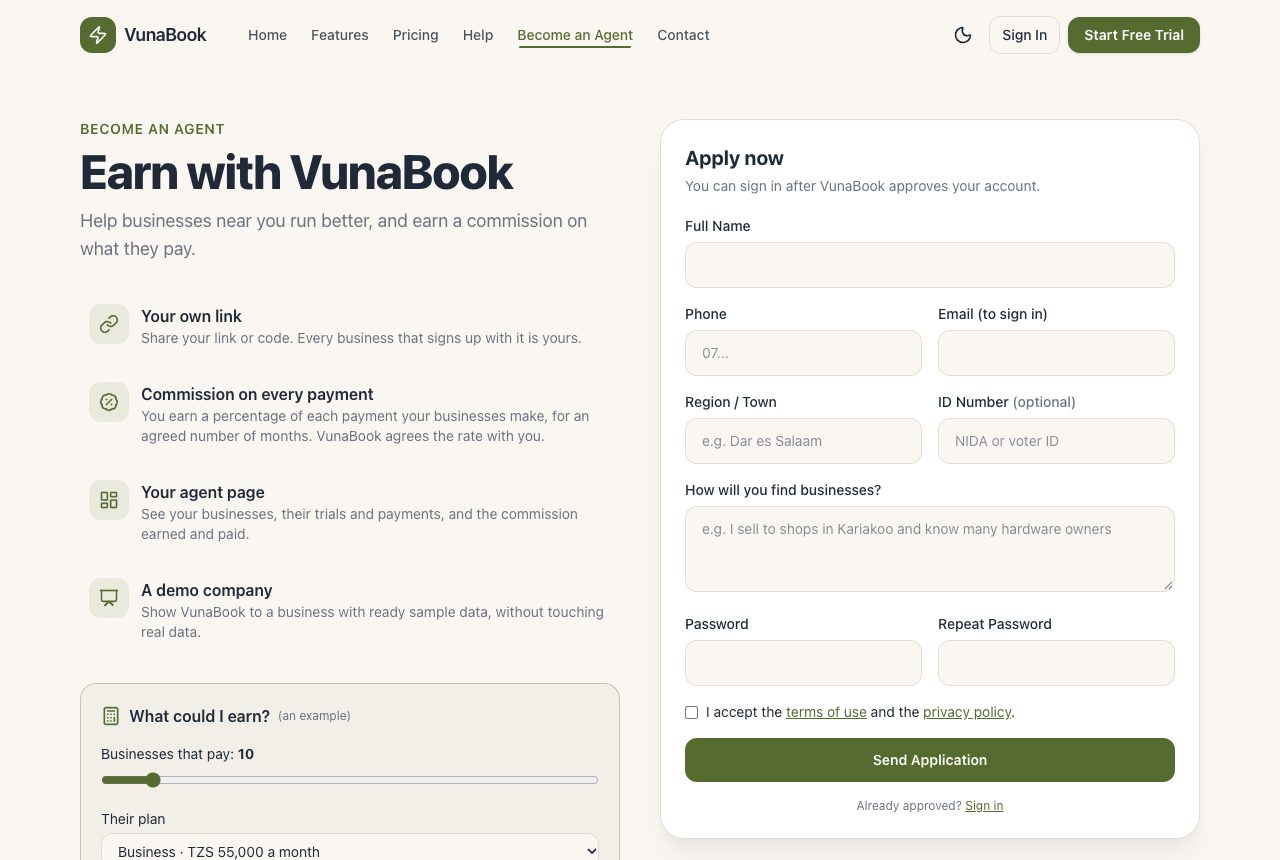
Apply
- On the website press Become an Agent (or open
/agents). - Fill in your name, phone, email, region or town, and how you will find businesses. Your ID number is optional.
- Choose your password (at least 8 characters), accept the terms and press Send Application.
- Open the link we email you, to confirm your email (check the spam folder too).
Waiting for approval
You cannot sign in yet: the sign-in page says your application is waiting. VunaBook calls you to agree your commission, then approves your account. You are told by email (so confirm your email first), or VunaBook calls you.
After approval
Sign in with your email and password. Your agent page has your invitation links, your companies, your commission and a demo company to show customers. It also has a Guide with everything an agent needs to know.