Projects & Construction
Client Link and Defects
A private page for the client: progress, photos, invoices, approving variations online and reporting defects.
Last updated 23 Oct 2026
The client link
On the project's Overview, press Make Client Link, then Copy, WhatsApp or Email to Client (the client needs a confirmed email: see Customers). The client opens it on their phone, with no login:
- progress and each stage,
- the contract, invoices and what they paid,
- the site diary with photos (you can hide it),
- variations to approve,
- defects.
Your costs, budgets and wages are never shown. Make a new link (the old one stops working) or switch it off at any time. The card shows when the client last opened it.
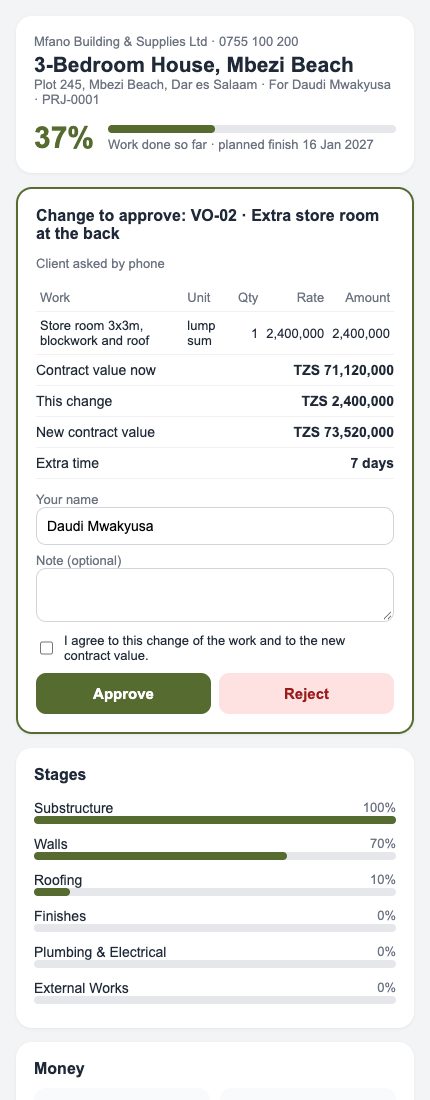
Variations approved online
A variation marked Sent appears at the top of the client's page with its lines and the new contract value. The client writes their name, ticks I agree, and presses Approve or Reject. The project changes at once and the office is told.
Defects (snags)
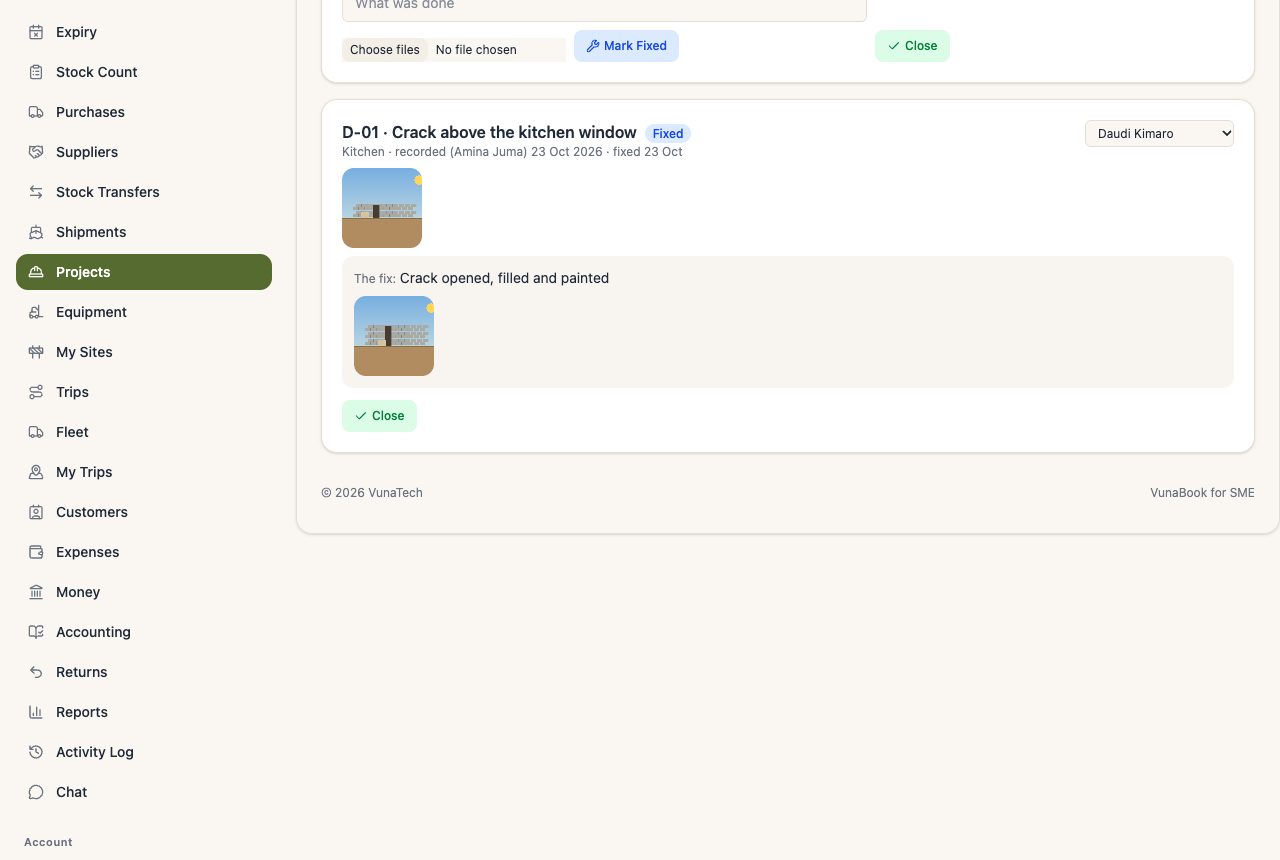
Project → Defects lists snags with photos, who fixes them and their status:
- A defect is recorded by the team, or reported by the client on their link with photos.
- Give it to a worker or team.
- Mark Fixed with a note and photos: the client is told.
- The client checks on their link: It is fixed (closed) or Not fixed (open again, the office is told). The office can also close it.
The client's retention, and a team's retention, cannot be released while defects are open.