Getting Started
Import from Excel
Bring in products with opening stock, customers, suppliers, opening balances and bills of quantities from Excel or CSV.
Last updated 23 Oct 2026
No need to type everything by hand: fill a template in Excel and upload it.
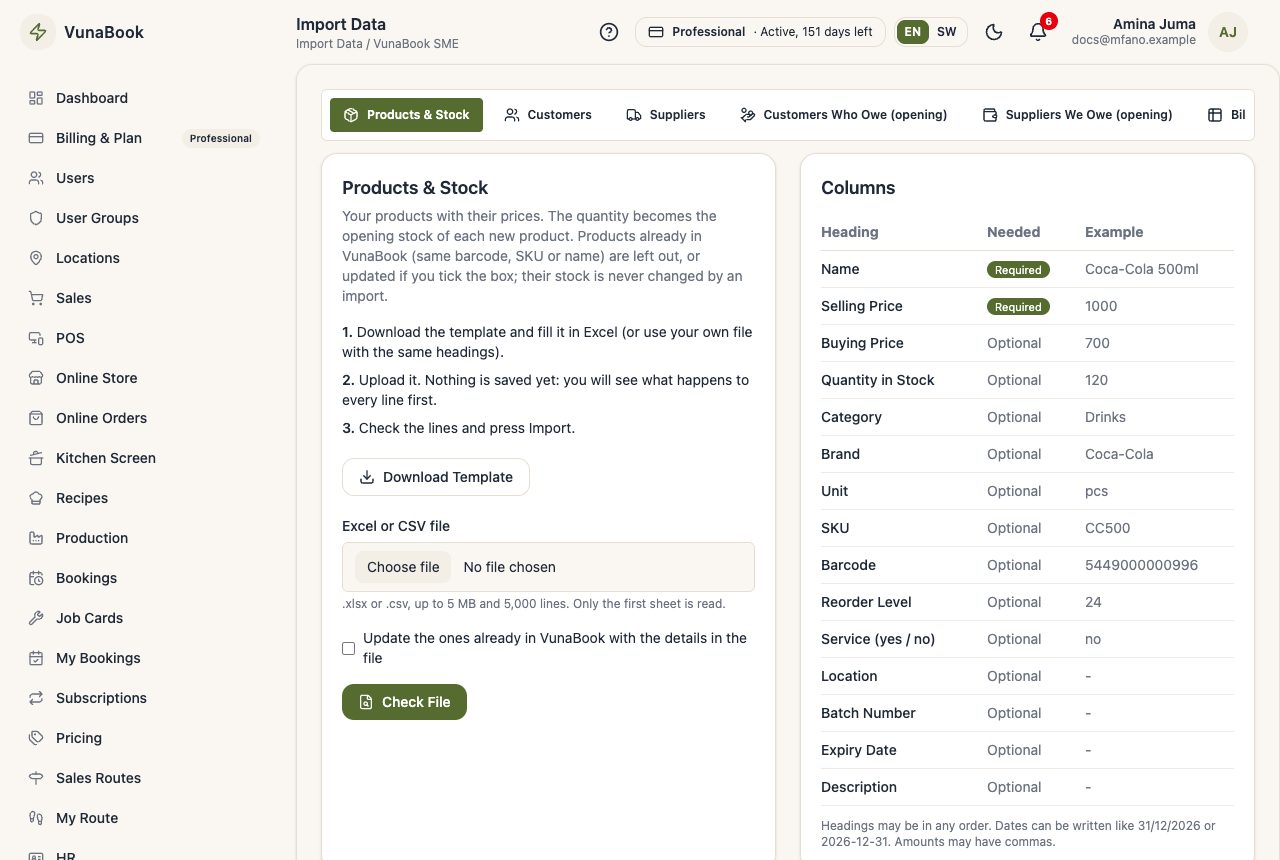
What you can import
| Tab | What it brings in |
|---|---|
| Products & Stock | products with prices; the quantity becomes the opening stock |
| Customers | customers with phone, email, TIN, credit limit ... |
| Suppliers | suppliers with phone, email, address |
| Customers Who Owe (opening) | what each customer owed you when you started VunaBook |
| Suppliers We Owe (opening) | what you owed each supplier when you started |
| Bill of Quantities (BOQ) | the BOQ of a project (see Project BOQ and Variations) |
How
- Open Import Data, choose the tab, and press Download Template.
- Fill it in Excel (or use your own file: headings may be in any order and with other common names, like Qty or Price).
- Choose the file and press Check File. Nothing is saved yet.
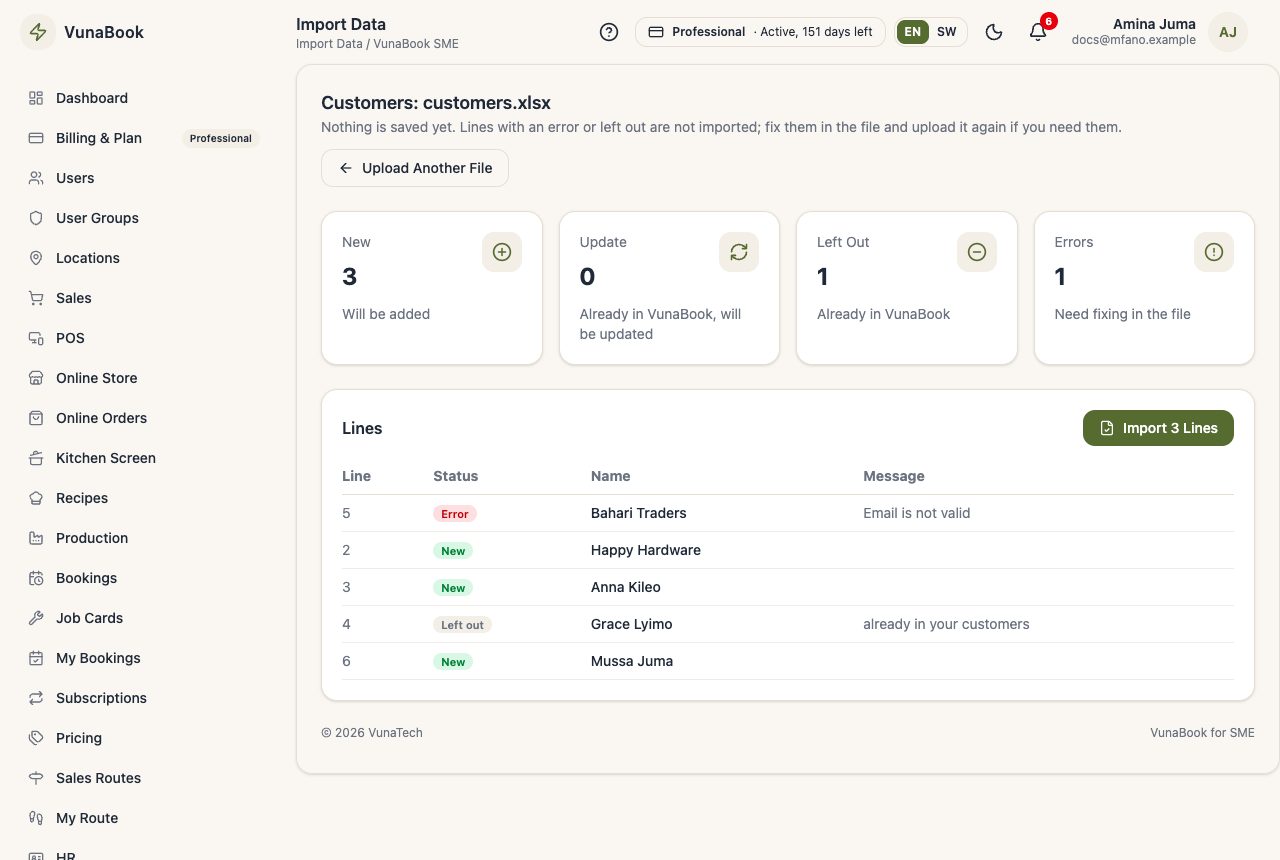
- VunaBook shows every line as New, Update, Left out or Error, with the reason and the line number.
- Press Import. All good lines are saved together.
Good to know
- Things already in VunaBook (same barcode or SKU, same phone ...) are left out, or updated if you tick the box. An import never changes the stock of an existing product.
- Opening balances show in Debtors and statements and can be paid like a sale, but are not counted as sales of the period.
- Up to 5 MB and 5,000 lines per file; only the first sheet is read.