Projects & Construction
BOQ and Variations
Build the bill of quantities, import it from Excel, turn it into stages and budget in one click, quote the client, and handle change orders.
Last updated 23 Oct 2026
Bill of quantities (BOQ)
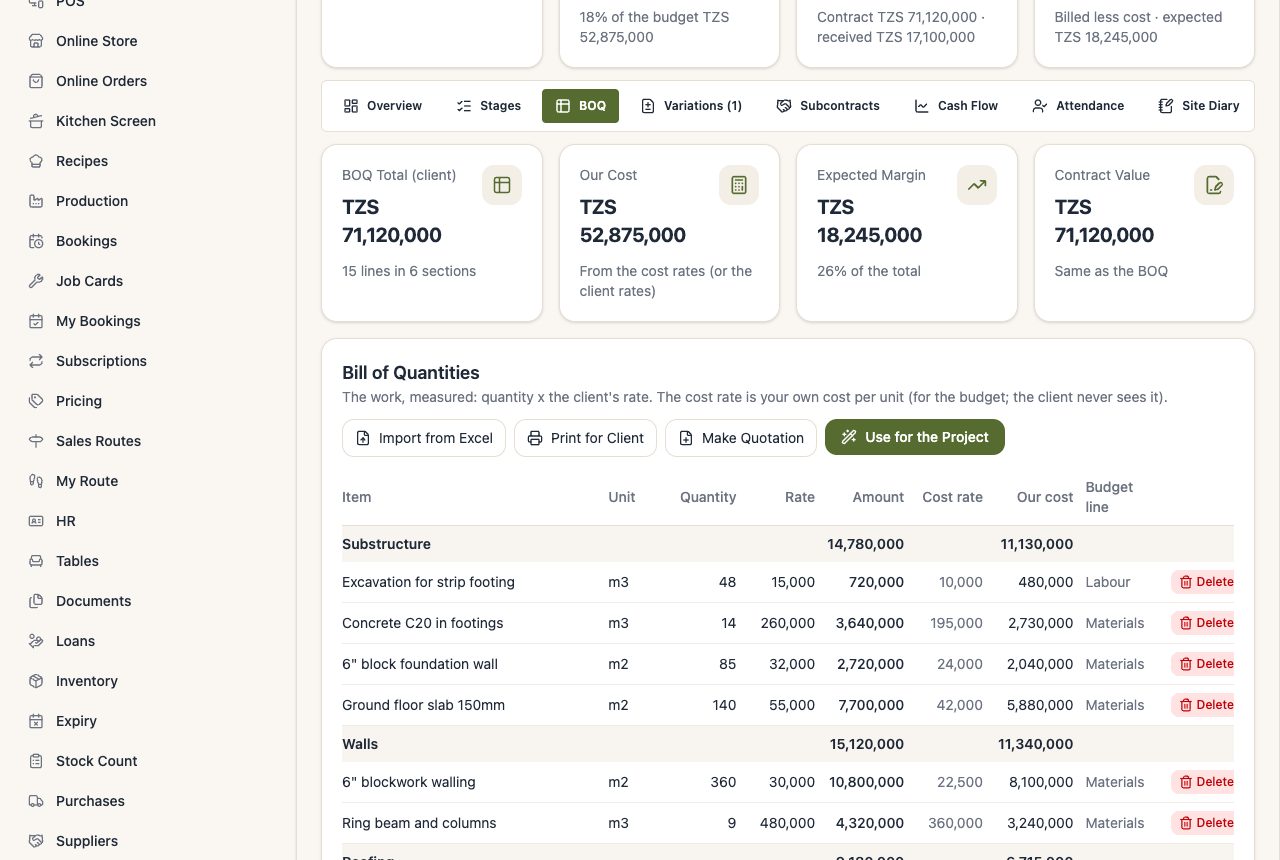
Project → BOQ: each line has a section (Foundation, Walls ...), the item, the unit (m², m³, m, pcs ...), the quantity, the client's rate and, if you like, your own cost rate (the client never sees it) and the budget line it belongs to. The tab shows the client total, your cost and the expected margin.
Import a BOQ from Excel
Press Import from Excel on the BOQ tab. VunaBook understands BOQ files as quantity surveyors make them: it skips the title above the table, turns heading lines (like BILL NO. 1: SUBSTRUCTURE) into sections, leaves out Carried to Collection and total lines, and works out a missing rate from the amount. See Import from Excel.
Use for the Project (one click)
Every section becomes a stage with its budget, the budget lines are set from your costs, and the contract value becomes the BOQ total.
Quote the client
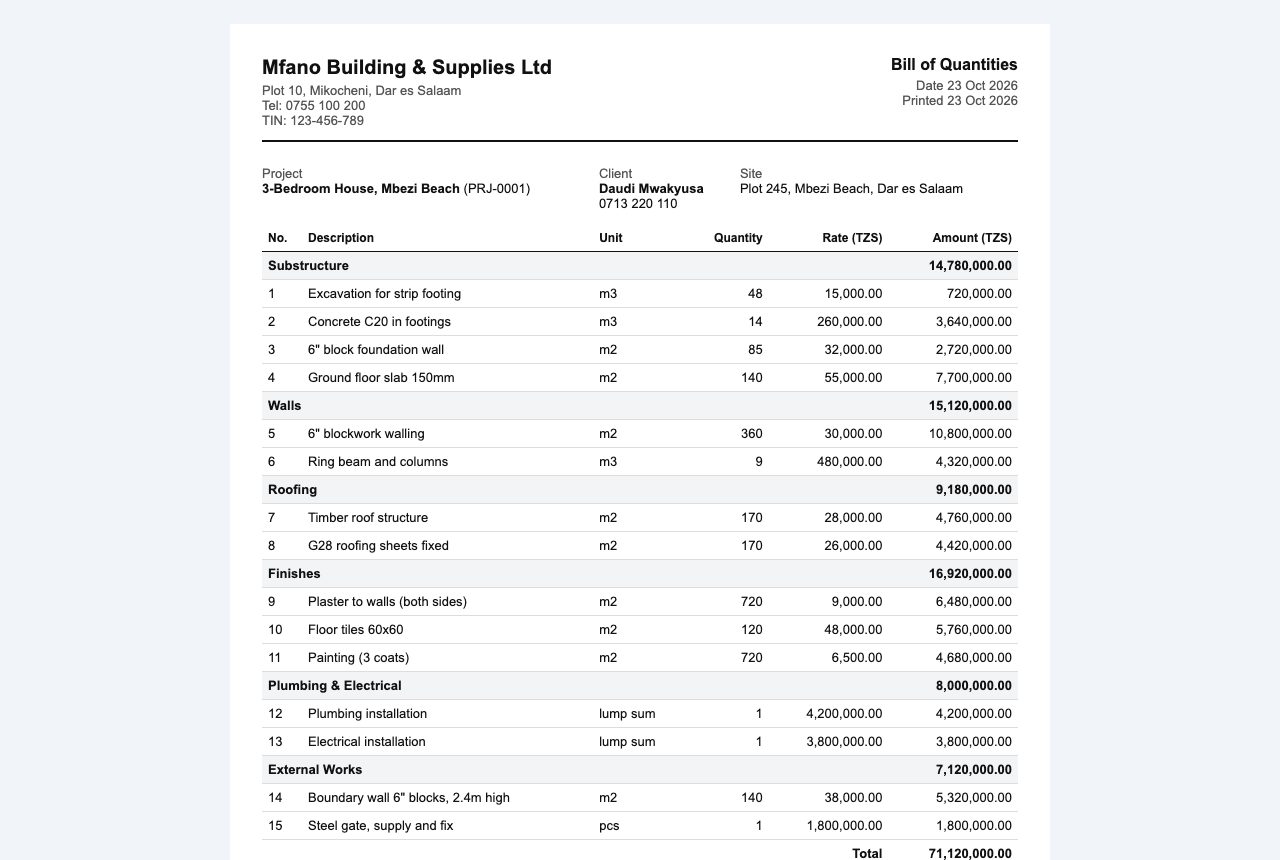
Print for Client prints a clean BOQ with sections, a summary and signature lines. Make Quotation makes a quotation in Documents.
Variations (change orders)
Extra work the client adds mid-project (or work taken out):
- Variations → New Variation: title, reason and any extra days.
- Add its lines like BOQ lines (a negative quantity takes work out).
- Print for the Client to Sign (it shows the new contract value), then Mark as Sent. A sent variation also appears on the client's link, where they can approve it online.
- Record the client's answer. When approved, the lines join the BOQ, and the contract value, budget, stages and planned finish go up. When rejected, nothing changes.
The final account lists the original contract and each approved variation.