Your Account
Security, Backups and Your Data
Two-step login, sign-in history, nightly backups, downloading all your data and closing the account.
Last updated 23 Oct 2026
My Security (every user)
- Two-step login: after your password, VunaBook asks for a 6-digit code from an authenticator app on your phone (Google Authenticator, Microsoft Authenticator ...). Scan the QR code, type the code, and keep the recovery codes somewhere safe.
- My sign-ins, and sign out other devices.
Security & Data (the company)
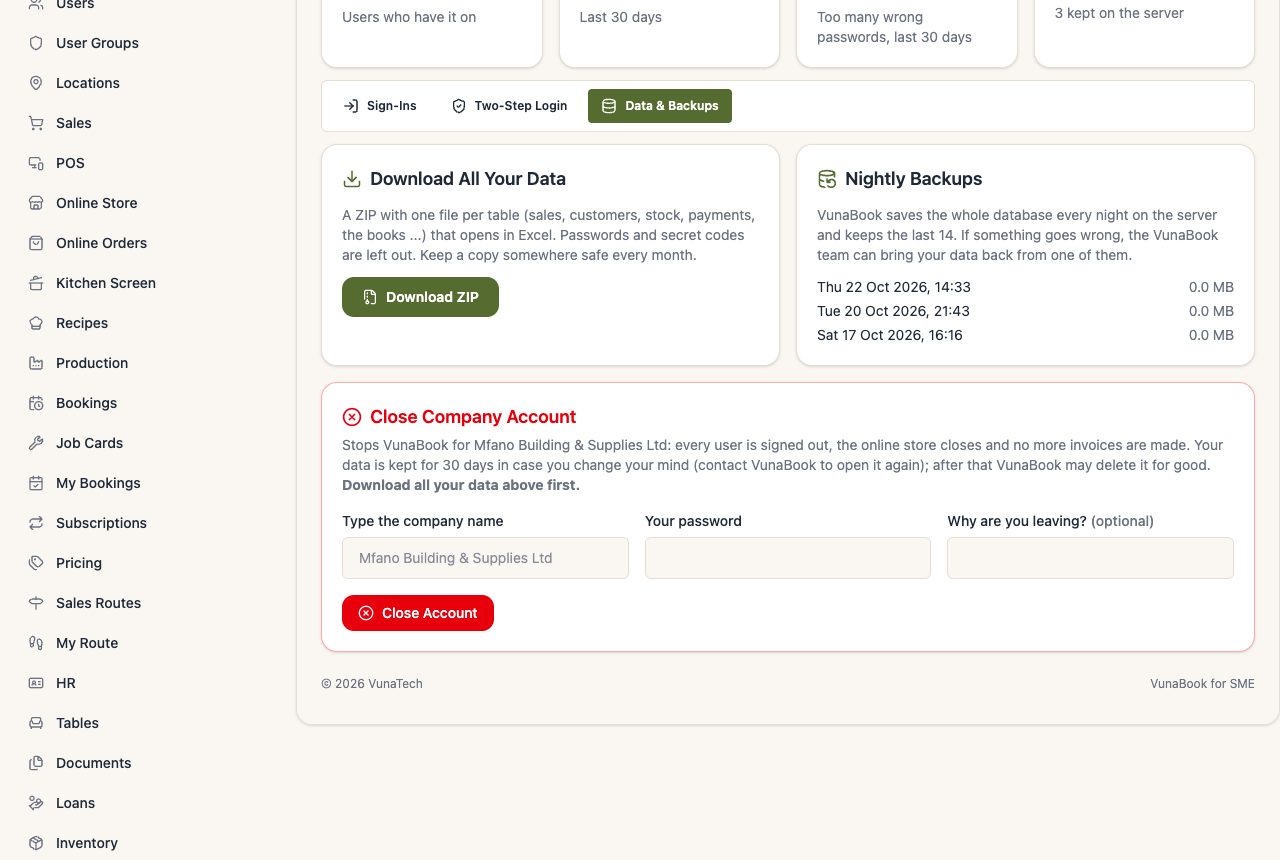
- Sign-Ins: the sign-ins of all users, failed ones included. After several wrong passwords an account is blocked for a while and you get a security alert.
- Two-Step Login: who must use it (nobody, the owners, the managers, or everyone).
- Data & Backups:
- Download All Your Data: a ZIP with one Excel-friendly file per table (sales, customers, stock, payments, the books ...). Keep a copy every month.
- Nightly backups: VunaBook saves the whole database every night.
- Close Company Account (the owner only): see below.
Closing your account
The owner types the company name and their password, and can say why. Every user is signed out, the online store closes and no more invoices are made. Your data is kept for 30 days in case you change your mind (contact VunaBook to open it again); after that it may be deleted for good. Download all your data first.