Projects & Construction
Site Workers and Pay
Fundi, vibarua and subcontractor teams paid per day, per piece or by contract; pay sheets, advances, subcontracts and retention.
Last updated 23 Oct 2026
Site workers
Projects → Site Workers → Add a Site Worker: name, phone, trade, how they are paid (per day with a day rate, per piece of work, or by contract), and whether it is a team / subcontractor. Site workers are not on the HR payroll and can work on any project.
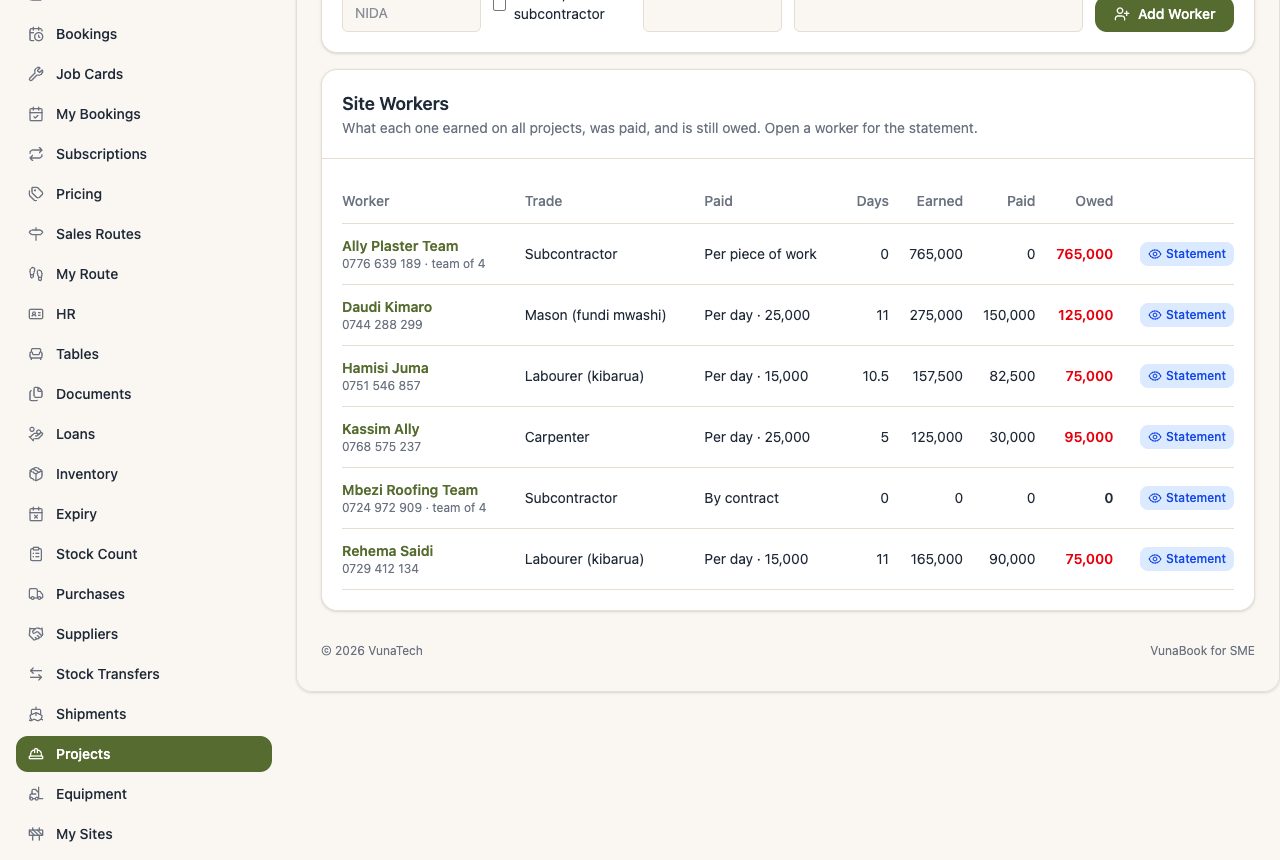
Each worker's statement shows their days, work done, payments and what they are owed, per project.
Pay sheet
Project → Pay Workers: choose the period (this week by default). For each worker: the days, day pay, work done, what they earned in the period, and what they are owed now. Tick the workers, check the amounts, choose how you pay, and press Pay Ticked Workers.
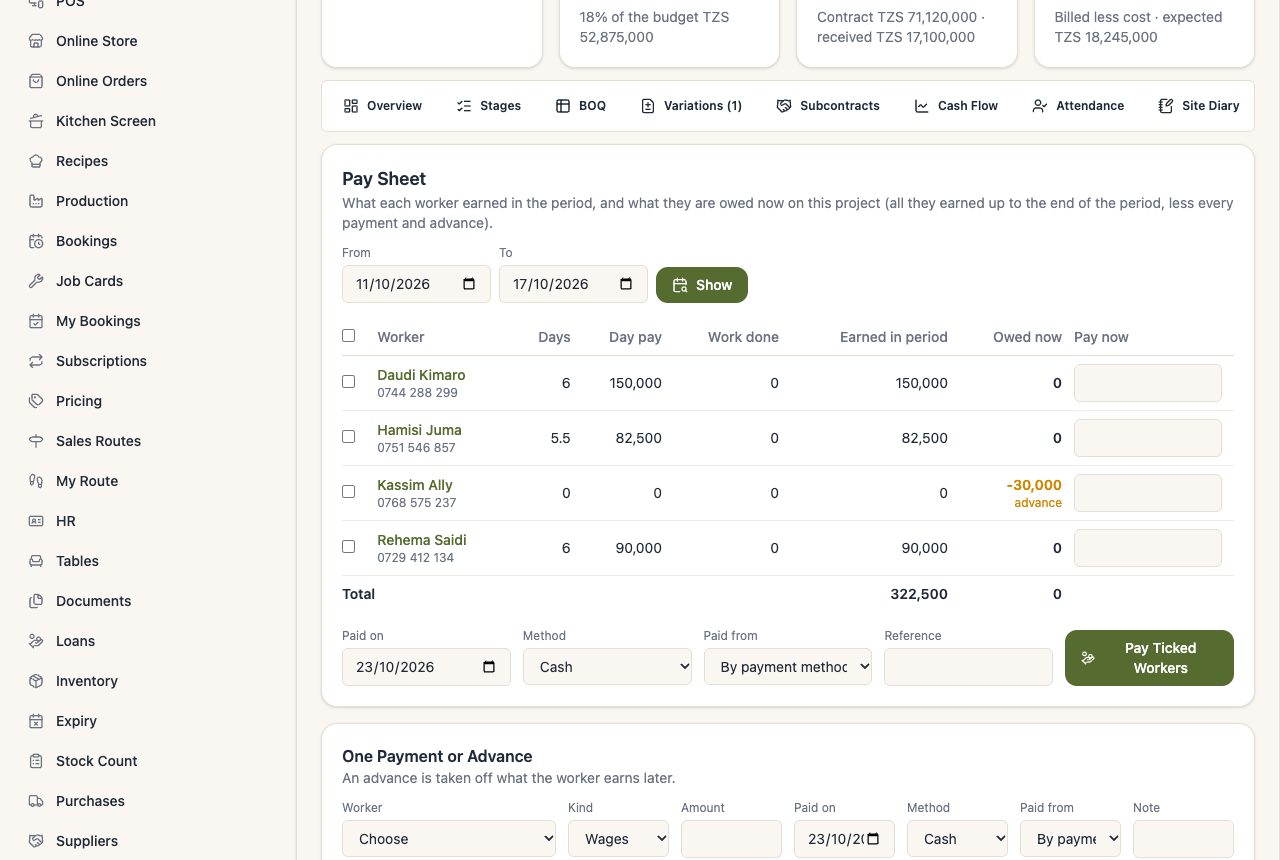
Every payment is an expense ("Site Labour") on the project, so it is in the cash book and the books.
Advances
One Payment or Advance: pay a worker before they earn it. It is taken off what they earn later (their balance shows advance).
Subcontracts (fixed price per stage)
Project → Subcontracts → New Subcontract: the team, the stage, the work agreed and the price, and a retention %.
- The team earns as the stage progresses: stage 40% done = 40% of the price. Mark it Completed to earn it all, or Cancelled to stop at what was paid.
- Pay what is due from the row. Paying more than earned is an advance.
Retention on subcontracts
With a retention (say 5%), that share of what the team earns is kept back. When the work passes inspection, press Passed inspection: the retention becomes due and can be paid. The retention cannot be released while the team still has open defects.